dsh-TUI
Claude Code-style fullscreen terminal interaction,
the missing TUI piece for
DeepSeek Harness.
Pixel-whale top bar, live status line, streaming thinking, terminal image previews (Sixel / Kitty), double-tap Esc time travel, and a blue-white context progress bar with a TPS gauge. Zero core changes, pure plugin mounting — install and go, uninstall with no residue.
The project name is dsh-TUI; the command and package use dsh-tui, while DSHTUI is the domain-friendly alias. It runs on DeepSeek Harness, abbreviated DSH.
npm install -g @deepseek-ai/dsh @deepseek-harness-tui/dsh-tui↑ Simulated demo · colors follow the theme (mirrors the TUI's OSC 11 auto-detection)
Core capabilities
dsh-TUI brings the complete Claude Code terminal experience to the DSH plugin system, with performance engineering for long sessions.
Terminal-native interaction
Streamed Markdown, terminal image previews (Sixel / Kitty with inline thumbnails and a full gallery), structured tool cards, command and file completion, @ file references (with #L12-14 line ranges, contents attached automatically on send), history search, message selection, inline / alternate-screen rendering modes, and one-tap Chinese / English switching via /lang.
Observable agent status
Live status line, segmented context progress, TPS gauge, cache hit rate, reasoning level, input / output tokens, and Git / session info — what the agent is doing, visible at a glance.
Complete session workflow
/resume to restore, /new for a fresh session, /compact to compress, /export to export, /btw for side questions, model switching, and session rewind / fork time travel via double-tap Esc.
Official DSH capabilities
Agent presets, Skills, MCP, Goals, Todos, sub-agents, and ask_user_question questionnaires — all connected through existing services or registries, no wheels reinvented.
Built for long sessions
Event-driven projection, differential terminal output, message virtualization, replay merging, and bounded caches — per-frame cost drops from O(entire session) to O(visible window); rendering and memory stop growing with the session.
Interface preview
Real screenshots, no filters. Gentle Mist Blue palette: mist blue carries only brand, focus, and highlights while body text stays neutral gray; on launch the TUI queries the terminal background via OSC 11 and picks the light / dark palette automatically.


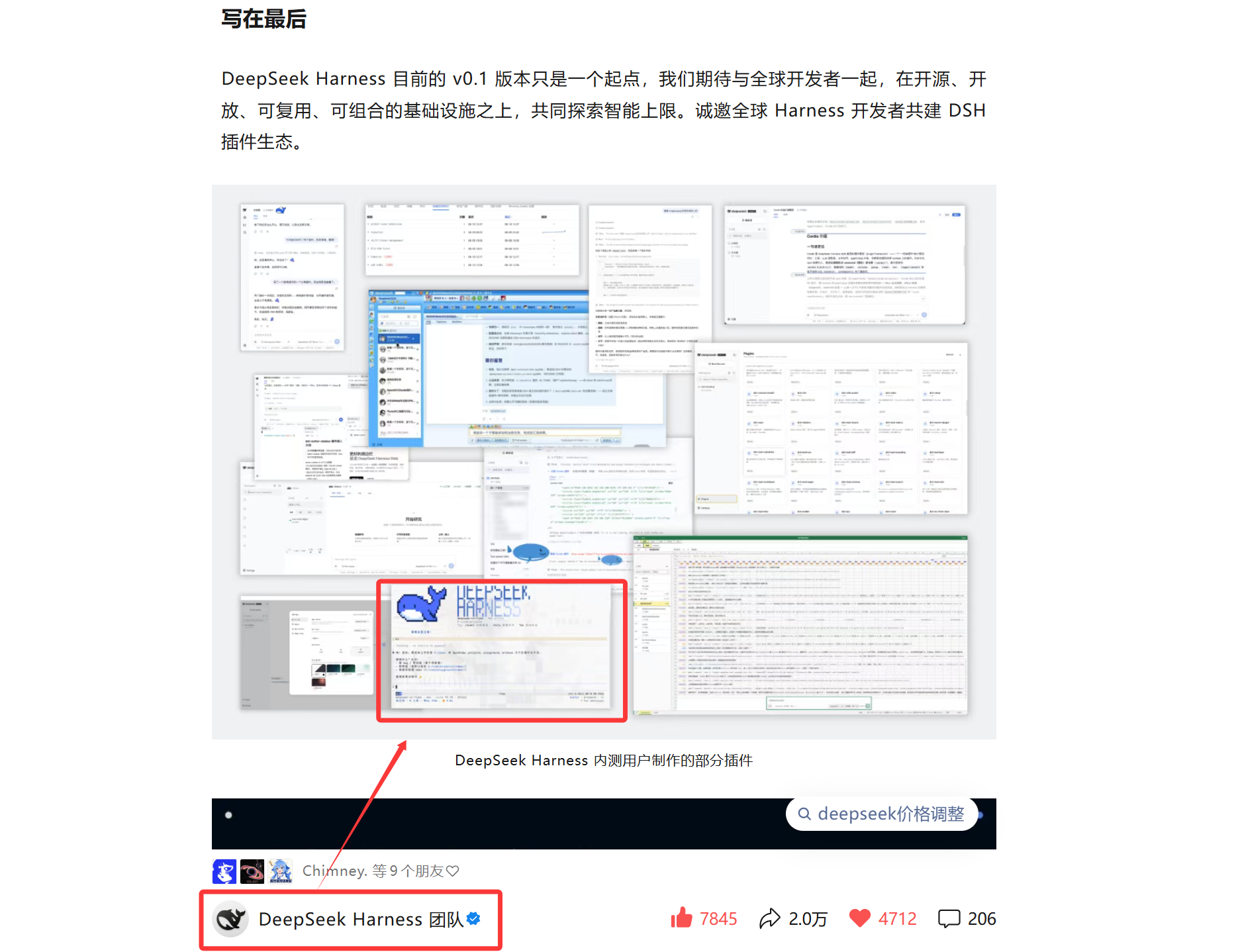
Featured by the DeepSeek Harness official account
In a DeepSeek Harness official WeChat post, dsh-TUI was showcased as a beta user pick — the pixel whale took center stage on the official poster.

What's new
Facts cross-checked against repo commits and npm publish times; full notes on GitHub Releases.
- v0.11.22026-09-29LATEST
Transparent terminal images: formulas, portraits & photos
LaTeX math renders as real images (Kitty/Sixel) with a transparent backing by default and click-to-zoom previews; the maid portrait and chat photos float on your wallpaper too, with per-surface backing settings; /settings reorganised into inline topics plus deep subpages.
- v0.11.12026-09-26
Plugin-owned status line semantics
Working-status semantics move entirely to dsh-working-activity 0.5.0 with the TUI reading a read-only projection; background sessions no longer overwrite the status line of the on-screen session.
- v0.11.02026-09-24
Unified session manager & IDE selection channel
/resume, /agentview and /bg merge into one session manager; IDE selections get live badges auto-attached on submit, plus safe mode, Mermaid diagrams as Unicode art, inbound image downsampling, and DSH 0.1.7-rc.1 support.
- v0.10.22026-09-17
Stability fixes
Fixes history vanishing after resume on empty-session misdetection, blank screens on scroll jumps, streaming and long-text paint jank in long conversations, and stale pending queues left on rewind branches.
- v0.10.12026-09-10
Context progress bar on by default
Long lines fold with mouse support; DSH 0.1.5-rc.1 support with deepseek-flash as the new default model.
- v0.10.02026-09-08
Terminal image previews & whale animation
Sixel / Kitty terminal image previews with a gallery, click-to-wake whale animation, /agentview session overview, a fullscreen draft editor, and /jobs background tasks.
- v0.9.32026-08-26
Single-file portable bundle & balance check
Cross-platform single-file portable build with self-update, /settings auto-save, and /balance for DeepSeek balance and per-session cost estimates.
- v0.9.12026-08-25
OAuth login & session recap
OAuth account login (dsh-auth), /recap auto-session summaries, @ line-range references, plus /restart session-preserving restart and /reload soft reload.
- v0.9.02026-08-23
Fullscreen by default & full mouse support
Fullscreen becomes the default, a timeline rail is added, mouse interaction is covered throughout, and long-session performance is significantly improved.
One-command npm install
Prerequisites: Node.js ^22.19 or 24+, pnpm 10+, and a working terminal TTY; running models requires DEEPSEEK_API_KEY. Step one below installs the dsh CLI, so you do not need it beforehand. After launch the plugin checks npm for new versions in the background — type /update to auto-update, restart, and resume the session.
Installer bundle (recommended for beginners)
Prefer not to type commands? Download the bundle, extract it, and double-click install.bat (or run sh install.sh on macOS / Linux). The script installs Node, pnpm, the dsh CLI, and dsh-TUI, then walks you through the API key.
Direct download · auto-switches npm mirror · no manual Node setup
npm install -g @deepseek-ai/dsh @deepseek-harness-tui/dsh-tuiThe package ships the dsh-tui shortcut command.
dsh-tuiFirst run auto-initializes the dsh-tui profile (requires pnpm 10+).
dsh-tui --resumeOn Windows, the dsh-tui.cmd in the repo works exactly the same.
sh install.shordsh plugin --profile dsh-tui add @deepseek-harness-tui/dsh-tuiorVS Code extensionShortcuts, all at your fingertips
On macOS, Ctrl+<key> also works as ⌘<key> (requires terminal support for the extended keyboard protocol: iTerm2 / kitty / WezTerm / ghostty / tmux); only Ctrl+C / Ctrl+D stay on Ctrl.
The complete Claude Code command set, replicated
All local commands go through official DSH pipelines. /plan and /goal come from the DSH command-registry plugin and merge into the / menu automatically.
Zero core changes, pure plugin mounting
The TUI owns only interaction and presentation. The session log is the source of truth; model calls, tool execution, fork/resume, compaction, and persistence remain owned by DSH services.
- dsh profile
- dsh-base
- Cordis patch
- Agent preset + DSH services
- session / event
- Channel projection
- React components
- Ink / Yoga renderer
- terminal
The highlight marks the dsh-TUI mount point: the Cordis patch layers on top of dsh-base and leaves no core patch behind when removed.
Gentle Mist Blue palette
Mist blue carries only brand, focus, interaction, and highlights while body text stays neutral gray; OSC 11 auto-detects the terminal background and falls back to dark when there is no response.
Event-driven rendering
The session/event stream drives incremental differential rendering; scroll state is maintained independently and terminal output commits only diffs.
Layout-level virtualization
Off-screen message rows render as measured-height placeholders whose subtrees skip layout entirely — per-frame cost for long sessions is O(visible window).
Context progress bar + TPS gauge
Largest-remainder segmented coloring plus multi-level abbreviated readouts; streaming 1/8-cell gauge, min-max sparkline, and speed-semantic colors (≥50 green / ≥20 yellow / <20 red).
The working-activity ecosystem
The status line consumes log-only activity/status events from dsh-working-activity — the same data source as the Web UI.
Security boundary
No separate sandbox: the TUI inherits the file, shell, sandbox, and approval policies of the current DSH profile; check the profile config first in environments with sensitive credentials.
Dive deeper into dsh-TUI
Read by topic: installation, features, commands, shortcuts, and architecture.
Frequently asked questions
Positioning, installation, platform support, and plugin boundaries of dsh-TUI.
What is dsh-TUI?
dsh-TUI is a Claude Code-style fullscreen terminal interface plugin for DeepSeek Harness, with streamed Markdown, structured tool cards, session management, live agent status, and terminal-native interaction.
Do DSHTUI, dsh-tui, and DSH TUI mean the same project?
Yes. dsh-TUI is the styled project name; DSHTUI, dsh-tui, and DSH TUI all refer to the same project. DSH abbreviates the underlying DeepSeek Harness.
How do I install dsh-TUI?
Get Node.js ^22.19 or version 24+ and pnpm 10+, globally install the official dsh CLI and the dsh-TUI plugin, then run dsh-tui to start. Running models also requires a configured DEEPSEEK_API_KEY.
Which operating systems are supported?
Windows, macOS, and Linux are supported. Terminal support for the extended keyboard protocol, clipboard, and OSC 52 may vary.
Does installing the plugin modify the DeepSeek Harness core?
No. dsh-TUI mounts as a plugin through a Cordis patch; sessions, model calls, tool execution, and persistence stay with the existing DSH services, and no core patch remains after uninstall.
Join the community
The dsh-TUI plugin community runs on both QQ and WeChat. Ask about installation, configuration, and terminal compatibility, or bring a feature request.